Features
Flexible deployment programme :
AVG Patch Management Business Edition allows you to schedule the deployment of your selected patches for a specific time or to deploy them manually, depending on your needs.
Update agent:
Download any missing patches to an Update Agent, which will then distribute them to all managed devices on the network.
Customising patches:
AVG Patch Management Business Edition allows you to select which patches to scan for and install, by software vendor, by product and by severity level. You can also exclude certain applications.
Automatic analyses:
Schedule patch scans to run automatically every day, every week or every month at a time of your choosing. You can use flexible deployment schedules to manage missing patches.
Patch analysis results:
Get a detailed overview from a single platform (missing patches, severity levels, links to the knowledge base, publication dates, descriptions, etc.).
Thousands of fixes:
Deploy patches for Windows operating systems and thousands of third-party software applications to ensure comprehensive protection.
Intuitive dashboard :
From any device, you can manage all software patches and generate summary reports on patches that have been installed, are missing or have failed to install. You can also schedule these reports to be sent to your managers.
Ideal for
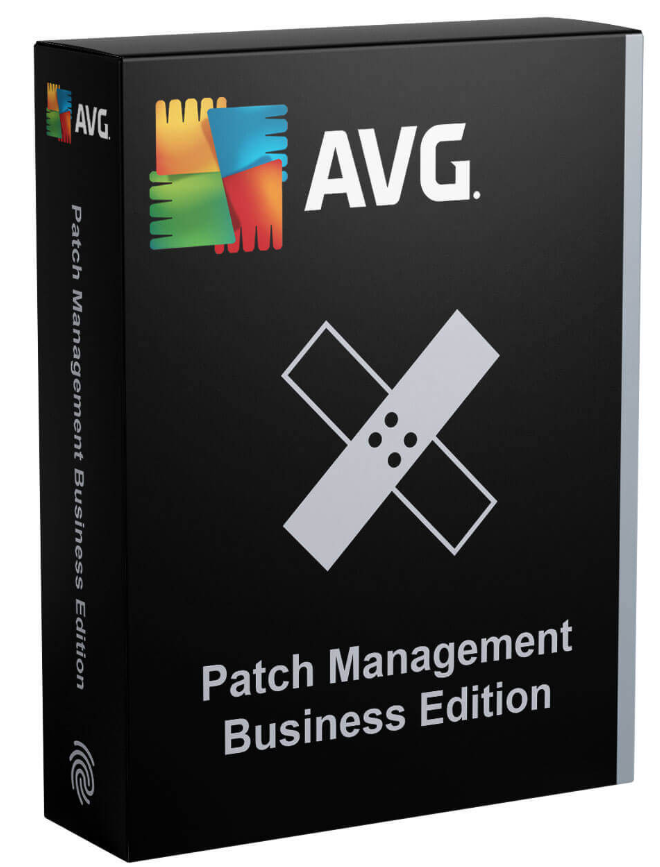
AVG Patch Management Business Edition (or AVG Business Patch Management) is an automated patch management solution Designed for businesses and IT teams that need to keep their systems and software up to date across numerous workstations or servers in a centralised manner.
Automated patch deployment provided by AVG Patch Management Business Edition enables patches to be applied outside working hours the busiest times, so as not to slow your staff down in their day-to-day tasks, whilst keeping your IT system secure.
As well as fixing vulnerabilities, updates sometimes bring improvements to the software’s features and functions, which enables your business to work with the best available version of the tools.
Compatibility
AVG Patch Management Business Edition is compatible with:
Windows 11, 10
Windows Server 2022, 2019, 2016, 2012
FAQ
Which operating systems (Windows versions, servers) are supported by AVG Patch Management Business Edition?
AVG Patch Management Business Edition supports the main Windows operating systems used in business environments. The solution is compatible with Windows workstations as well as Windows Server systems, in versions still supported by Microsoft.
Patch management is carried out via the AVG Business Hub console.
AVG Patch Management focuses exclusively on the Windows ecosystem and does not support macOS or Linux.
Which third-party applications can be patched automatically (browsers, Java, Adobe, etc.)?
AVG Patch Management Business Edition enables the automatic updating of numerous third-party applications commonly used in businesses, in addition to Windows operating system patches.
The supported applications include, amongst others:
web browsers (Google Chrome, Mozilla Firefox, Microsoft Edge),
Adobe solutions (Adobe Reader),
Java environments,
as well as other widely used software such as Zoom, 7-Zip, VLC Media Player, Notepad++ and various productivity tools.
The full list of compatible apps is available here:
https://static2.avg.com/web/o/smb/avg-patch-3rd-party-app-list.pdf
Patches are managed centrally via the AVG Business console, with the option to schedule, approve or defer updates in accordance with the policies defined by the IT administrator.
This feature significantly reduces security vulnerabilities linked to out-of-date software, which is one of the main attack vectors in businesses.
What level of control do we have over patches: manual approval, deferral, exclusions, rollback?
AVG Patch Management Business Edition offers IT administrators a high level of control over patch management, ensuring security, stability and business continuity.
Approval of patches: Patches can be approved manually before deployment, which allows sensitive updates to be tested or validated before they are rolled out on a large scale.
Postponement and planning: Updates can be deferred or scheduled according to defined maintenance windows (times, days, groups of machines), in order to minimise the impact on users.
Exclusions: It is possible to exclude certain patches, applications or workstations from the automatic deployment, particularly in the event of incompatibility or specific business constraints.
Rollback: Rollback functions are limited and depend mainly on the native mechanisms of Windows or the application in question. AVG therefore favours a preventative approach based on validation and testing prior to deployment.
Overall, AVG Patch Management offers flexible and secure patch management, tailored to business environments that wish to retain control over their updates.
How does AVG Patch Management handle reboots (forced, delayed, user notifications)?
AVG Patch Management Business Edition offers controlled restart management to minimise the impact of updates on users’ work whilst ensuring that patches are applied.
Delayed restarts: The administrator can delay reboots and schedule them for maintenance windows (off-peak hours, at night, at weekends), thereby avoiding any disruption during working hours.
Forced restarts: Where certain critical patches require it, it is possible to force workstations to restart in order to ensure that security updates are fully applied.
User notifications: Users can be notified in advance that a restart is required, with messages prompting them to save their work before the restart takes place.
Policy-based configuration: Restart rules can be defined by machine group or by policy, offering flexibility tailored to different user profiles and levels of criticality.
This approach enables organisations to balance security, compliance and business continuity, whilst maintaining centralised control over patch-related reboots.
How are offline machines managed?
AVG Patch Management Business Edition supports the management of offline devices, including laptops, which are not always connected to the company network.
Automatic catch-up: As soon as an offline machine reconnects to the Internet, the AVG Business agent automatically synchronises its status with the console and applies any missing patches in accordance with the defined policies.
Time management: Updates that were not installed whilst the device was offline are queued and deployed when the device comes back online, in accordance with the timeframes, priorities and scheduling rules configured by the administrator.
Update policy: Administrators can define specific policies for mobile devices (automatic deployment, deferred reboots, time restrictions), tailored to mobile use.
Visibility and reporting: The console makes it easy to identify non-compliant workstations or those that have recently been offline, making it easier to monitor and rectify update discrepancies.
Thanks to this mechanism, AVG Patch Management ensures that endpoints are continuously and consistently updated, even in mobile or hybrid environments, whilst maintaining centralised control.


























 Verified owner