Features
Deep clean:
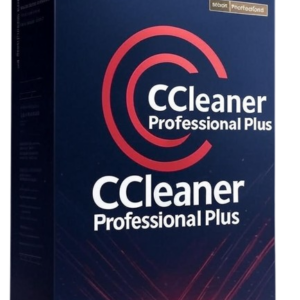
CCleaner Professional scans your computer to find unnecessary files, obsolete registry entries, temporary files, error logs and unnecessary configuration files that are taking up space on your hard drive. It removes these files to free up storage space and improve your PC’s speed.
System optimisation:
CCleaner Professional optimises your system’s performance by deleting unnecessary files and by cleaning the Windows registry. It also offers to adjust your computer’s settings to improve its performance.
Privacy policy:
CCleaner Professional removes sensitive personal data such as browsing history, cookies, log files and temporary files. CCleaner Professional also protects your privacy by blocking adverts and the programmes that collect your data.
Managing programmes at start-up:
CCleaner Professional manages the programmes that launch automatically when your computer starts up in order to reduce the time it takes to start up your PC.
Malware detection:
CCleaner Professional detects malware and unwanted programmes to protect your system against potential threats.
Ideal for
CCleaner Professional is the best optimisation tool for Windows PCs for slow computers, for computers that crash, and for ageing computers. CCleaner Professional maintains your computer so that’increase its lifespan and therefore allows you to save money by replacing your IT equipment less often.
Compatibility
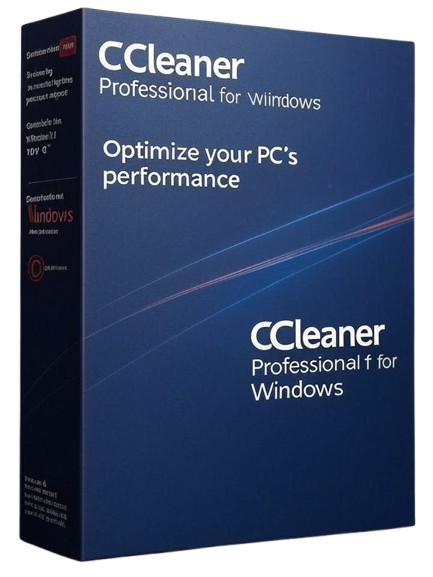
CCleaner Professional for Windows is compatible with:
Windows 11
Windows 10
Windows 8, 8.1
Windows 7
FAQ
What is the difference between the free version of CCleaner and CCleaner Professional for Windows?
CCleaner Professional for Windows offers advanced features not available in the free version of CCleaner. With CCleaner Professional, you can automatically update all your software to prevent security vulnerabilities and the risk of crashes. You also get the automatic performance optimiser, which ensures your PC always runs smoothly, and the automated cleaning feature (Smart Cleaning), which manages your PC’s maintenance in real time.
You can compare the features of the various CCleaner solutions in our comparison table.
Can CCleaner Professional for Windows be installed on multiple PCs?
CCleaner Professional for Windows is available for 1 PC with a 1-year subscription. If you need more licences to protect more computers, consider CCleaner Premium or do Request a quote here.
Is there a CCleaner Professional version for Mac?
Yes, there is a version CCleaner Professional for Mac available here.
Why am I receiving notifications about browser cleaning?
CCleaner Professional for Windows includes the Smart Cleaning feature, which notifies you when your web browser is being cleaned. You can configure or disable these notifications in the CCleaner Professional software: Options > Smart Cleaning

























 Verified owner